business woman
Hearing aid troubleshooting

Hearing aid troubleshooting guide

Learn to discover and resolve common hearing aid issues.

Common problems and quick solutions

Hearing aids are sophisticated devices that enhance your quality of life, but like any technology, they occasionally encounter problems. Whether you're experiencing sound issues, battery failures, or connectivity troubles, most hearing aid problems can be resolved quickly at home with proper troubleshooting techniques. This comprehensive guide will walk you through the most common hearing aid issues and provide practical solutions to get your devices working perfectly again.

Essential troubleshooting checklist

Before diving into complex troubleshooting, start with these fundamental checks that resolve the majority of hearing aid problems:

Visual Inspection

Examine your hearing aids carefully for visible damage, cracks, or moisture. Check that all components are properly connected and that nothing appears loose or detached.

Cleaning Check

Look for earwax, debris, or moisture blocking the microphone ports, sound outlet, or receiver. Even small amounts of buildup can significantly impact performance.

Battery Status

Check that the batteries are new, inserted the right way round, and that the contacts are clean and free of corrosion.

Switch Position

Ensure your hearing aid is switched on and set to the correct programme for your environment. It is easy to switch programmes without releasing.

Volume Level

Ensure the volume hasn't been adjusted too low or muted entirely.

Have More Questions?

Ready to ensure your hearing aids are performing at their best? Book an appointment with our expert audiologists for a comprehensive hearing aid check-up, and personalised troubleshooting advice tailored to your specific devices.

Book an appointment

No sound or device won’t turn on

When your hearing aid produces no sound at all, this can be alarming, but the solution is usually straightforward.

  1. Start by checking whether the device is actually switched on—it sounds obvious, but it's the most common oversight.
  2. Remove and reinsert the battery, ensuring the positive and negative terminals align correctly with the markings inside the battery compartment.
  3. Inspect the sound outlet thoroughly for blockages. Earwax is the main cause of hearing aid malfunction, and even a tiny amount can completely block sound transmission.
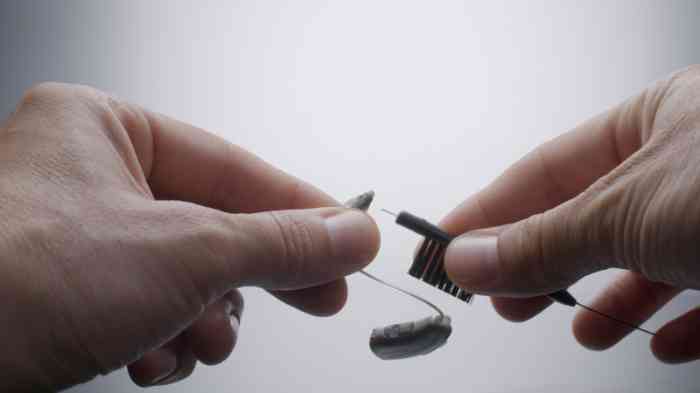
  4. Use the cleaning tool provided with your hearing aids to gently remove any visible debris from the sound outlet and microphone ports.
  5. Never insert anything sharp or use water directly on electronic components.
  6. Check whether your hearing aid uses a wax guard or filter system. If present, these may need replacing if they appear discoloured or blocked.

Most modern hearing aids include replacement filters in your maintenance kit.

Weak or distorted sound quality

If your hearing aids are producing sound but it seems weak, muffled, or distorted, several factors could be responsible.

  • Battery power is often the culprit—even if batteries aren't completely dead, low power can cause poor sound quality.
  • Replace the batteries with fresh ones and note whether quality improves immediately.
  • Examine the microphone openings carefully with good lighting. Microphone ports are tiny and easily blocked by debris, skin oils, or moisture.
  • Use a soft, dry brush to clean around these openings gently.
  • Never blow into the microphone ports as moisture from your breath can cause damage.
  • Tubing problems frequently affect behind-the-ear hearing aids. The tube will need replacing if it has become hard, brittle, or discoloured, which indicates it needs replacing.
  • Look for moisture droplets inside the tubing—condensation can significantly muffle sound.
  • Disconnect the tubing if possible and use a puffer tool to blow out any moisture.
A woman with her left hand resting on the headphones during a hearing test

Try our online hearing test

Take a quick, easy test to find out how you're hearing.

Whistling or feedback problems

Feedback—that annoying whistling sound—occurs when amplified sound escapes from your ear and re-enters the hearing aid microphone.

  • First, ensure your hearing aid fits properly in your ear. Feedback often indicates the device has become loose or that your ear canal shape has changed.
  • Check for earwax buildup in your ear canal or on the hearing aid. Excessive wax can cause sound to bounce back into the microphone.

If you suspect earwax is the problem, book an appointment with your audiologist—never attempt to remove impacted wax yourself with cotton buds.

  • Volume settings that are too high for your current needs can also cause feedback.

Try reducing the volume slightly to see if this eliminates the whistling. If you consistently need very high volume to hear adequately, your hearing may have changed and you might need a reassessment.

Upgrade your hearing aids

Invest in your hearing health with a technology upgrade. Modern hearing aids represent a significant improvement in daily quality of life. Discover flexible payment options that make upgrading to premium hearing technology more accessible.

Upgrade your hearing aid

Intermittent sound or cutting out

Hearing aids that work inconsistently can be frustrating to troubleshoot.

  • Start by ruling out battery issues—corroded battery contacts or loose battery compartment doors commonly cause intermittent function.
  • Clean the battery contacts gently with a dry cotton swab and ensure the battery door closes securely and clicks into place.
  • Moisture is a frequent cause of intermittent problems.
  • Even if you haven't been swimming or showering with your hearing aids, perspiration, humidity, and condensation can accumulate inside the device.
  • Use a hearing aid dehumidifier overnight—these simple devices draw moisture out of the electronic components.

Many audiologists recommend using a dehumidifier every night as preventive maintenance. Physical damage to wiring or internal components can cause intermittent function, particularly if you've dropped your hearing aid recently.

If you suspect internal damage, contact your audiologist as professional repair may be necessary.

Find your nearest Amplifon clinic

Maintenance and troubleshooting tips

Weekly deep cleaning routine

  • Once weekly, perform a more thorough cleaning routine.
  • For behind-the-ear models, disconnect the tubing or earmold and clean it separately with warm soapy water. Ensure it's completely dry before reconnecting—ideally leave it overnight to dry thoroughly.
  • Never immerse the hearing aid body in water.
  • Replace wax guards and filters weekly or when they appear discoloured. These inexpensive components are designed to be disposable, and regular replacement maintains optimal sound quality.
  • Inspect all components carefully under good lighting. Check for cracks, wear on tubing, or any signs of deterioration that might need professional attention.

Professional check-ups

  • Schedule regular check-ups with your audiologist every three to six months, even if your hearing aids seem to be working perfectly.
  • Professional cleaning removes debris from areas you cannot access safely at home. Audiologists also check the electronic function, verify that amplification settings remain appropriate for your hearing, and identify developing problems before they become serious.

Signs you need expert assistance

  • Physical damage such as cracks, broken tubing connections, or detached components needs professional assessment. Attempting DIY repairs on sophisticated electronics often causes further damage and may void your warranty and insurance.
  • Persistent problems that don't respond to basic troubleshooting indicate deeper issues. If you've tried all relevant solutions in this guide without success, professional diagnostics can identify problems that aren't visible or accessible to users.
  • Changes in your hearing require professional evaluation. If you find yourself constantly adjusting volume higher, struggling in situations that were previously manageable, or noticing that even maximum volume seems insufficient, your hearing may have changed.
  • Water damage requires immediate professional attention. If your hearing aids have been submerged or exposed to significant moisture, don't attempt to use them. Remove the batteries, dry the exterior gently, and place them in a dehumidifier before taking them to your audiologist. 

Have a look at out related contents

Learn more on how your hearing works, thanks to our experts contents. You can also have a look at our blog, with our lates news. 

Get support and advice

Book a free hearing test

Book now

Test your hearing online

Take the test

Find your nearest store

Find a store